
Kingobd Sports Notifications: Match Alerts and Reminders Guide
Learn how Kingobd Sports notifications work, how to manage match alerts and reminders, fix missing alerts, and control notice settings on Android.

Blog
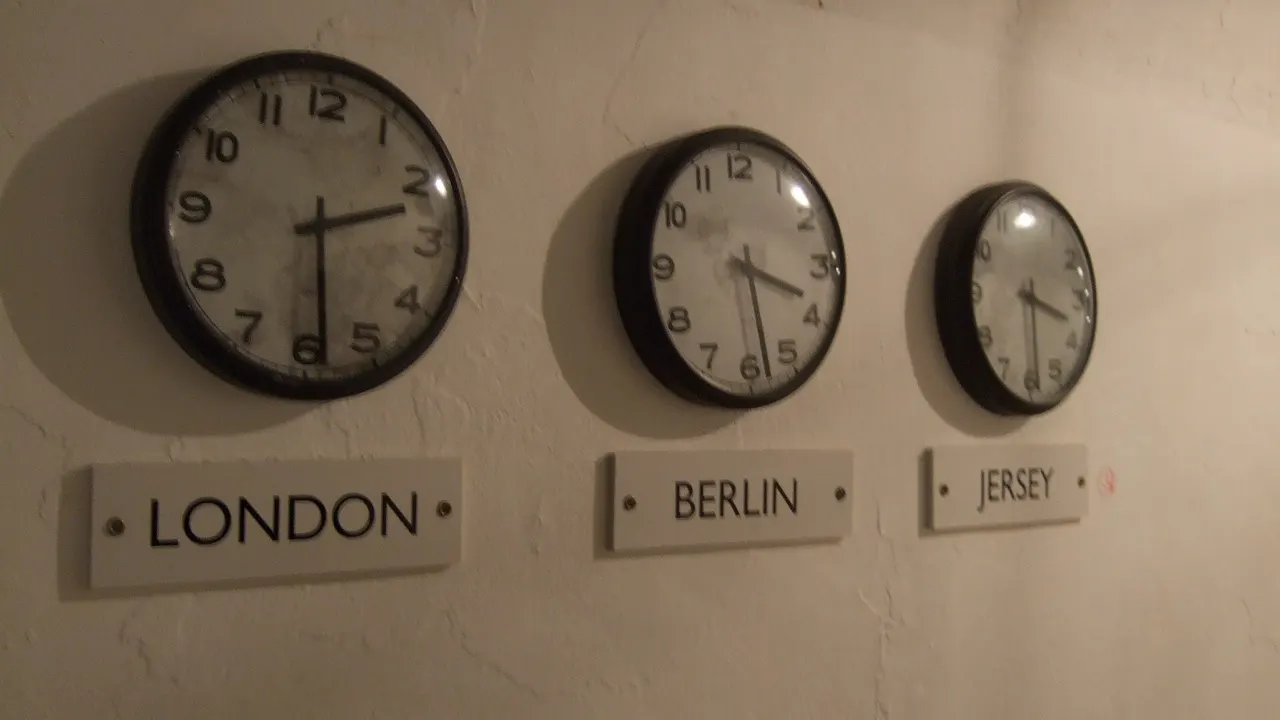
Kickoff times look wrong? Learn how time zones affect Kingobd Sports schedules, how to convert match times to your local time, and never miss a start again.
Few things sting like sitting down three hours after your team played. Most 'wrong time' complaints about sports schedules are really time-zone misunderstandings, and Kingobd Sports is no exception.
This guide explains why listed times can differ from your local expectation and how to convert any fixture in seconds.
For the complete app overview, begin with Kingobd Sports APK.
International fixtures are scheduled in the host country's local time, announced in broadcasters' reference zones, and discussed online in everyone else's zone. A schedule has to pick one reference, and it may not be yours.
A five or six hour gap that repeats across every fixture is the signature of a zone difference, not an app error.
Find the offset between the listed zone and your own, then add or subtract it. An 8 PM kickoff listed in a zone five hours ahead of you starts at 3 PM your time.
Your phone's world clock does this instantly: add the host city, compare it with home, and apply the difference to the fixture.
A reliable routine:
Twice a year, regions move clocks on different dates, so a familiar offset quietly grows or shrinks by an hour for a few weeks. Fixtures in those windows deserve a fresh conversion instead of habit.
If a regular competition suddenly looks an hour early or late in spring or autumn, daylight saving is almost certainly why.
Keep your phone's date and time set to automatic, network-provided time. A manually set clock or a travel-stuck time zone makes every schedule in every app misleading.
After travelling, restart the app once your phone has settled on the local zone so schedules re-render against the right reference. If you are travelling soon, Kingobd Sports Offline Features: What Works Without Internet explains what still works without a connection.
Convert the week's big fixtures in one sitting and add them to your calendar in local time. Calendar entries do not drift when zones confuse you later.
Pair converted calendar entries with in-app alerts from Kingobd Sports Notifications: Match Alerts and Reminders Guide, so a converted time also arrives as a reminder.
A constant shift across all fixtures means the schedule's reference zone differs from yours. Convert using the offset and the times will line up.
Schedule presentation can depend on the app's reference settings, so always confirm important fixtures against your local zone with a quick conversion.
Daylight saving changes in either region shift the offset by an hour for part of the year. Recheck conversions in spring and autumn.
Convert the kickoff, add it to your calendar in local time, and enable app notifications as a backup reminder.
Time zones explain nearly every 'wrong kickoff' scare. Learn the offset, convert once, and calendar the result; the schedule was right all along.
Put converted times to work with Football Leagues on Kingobd Sports: Coverage and Schedule Guide, which organises the season league by league once the times are right.
Learn how Kingobd Sports notifications work, how to manage match alerts and reminders, fix missing alerts, and control notice settings on Android.

Follow cricket on Kingobd Sports: find fixtures, track tournaments, understand match timings, and keep up with international and league cricket schedules.
Understand Kingobd Sports data usage, what affects consumption, and practical tips to follow sports on limited mobile data without missing fixtures.