
Kingobd Sports Notifications: Match Alerts and Reminders Guide
Learn how Kingobd Sports notifications work, how to manage match alerts and reminders, fix missing alerts, and control notice settings on Android.

Blog
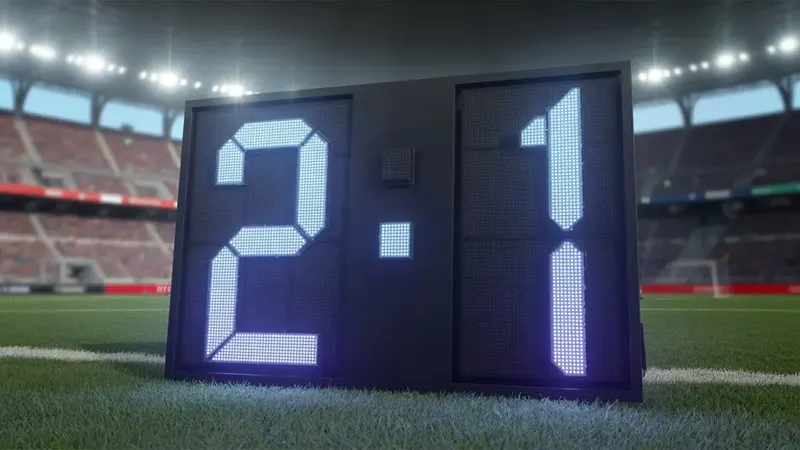
Learn how to follow live scores and results on Kingobd Sports, read match updates during play, and check final results across football and cricket fixtures.
Fixtures tell you when a match happens; scores tell you how it ends. Kingobd Sports brings result information into the same schedule view, so following a match day takes one app instead of five tabs.
This guide explains how to follow scores during play, where results settle after full time, and how to keep updates timely. First time here? Start with the Kingobd Sports homepage.
Open the dashboard on match day and move to the competition you are following. Fixtures in progress and completed matches are presented within the same schedule structure you already use for upcoming games.
Checking one competition at a time keeps the view readable when dozens of matches share a kickoff slot.
During play, return to the fixture listing to see the latest state of the match. Refresh deliberately rather than constantly; scores update at intervals, and a calm refresh rhythm also saves battery and data.
Our battery guide, Kingobd Sports Battery Tips: Stop Drain and Keep Alerts On Time, explains the background side of this, including which settings keep alerts punctual.
While following live matches, you can:
Completed fixtures remain in the schedule as results, which makes reviewing a whole round easy the morning after. Tournament listings reflect those results as knockout pairings and standings context change.
If a result looks missing shortly after a match ends, give it a short while and refresh; final confirmation can lag the whistle by a few minutes.
Football scores settle quickly, while cricket scores evolve across hours with innings breaks. The same schedule-first layout handles both: find the fixture, open it, and read the state of play.
Cricket fans should also read Kingobd Sports Cricket Guide: Fixtures, Tournaments and Schedules, which follows fixtures, tournaments and schedules through the season.
Live information is only as fresh as your connection and app version. Keep the app updated, stay on a stable network during matches you follow closely, and let notifications flag major schedule changes.
When an update is due, How to Update Kingobd Sports to the Latest Version gives the instructions in order, from checking the version to restarting the app.
Scores update during matches at short intervals. A brief delay compared with the stadium is normal for any schedule and results service.
Open the competition's schedule and look at the completed fixtures for that round. Finished matches stay listed as results.
Final results can take a few minutes to confirm after a match ends. Refresh once after a short wait.
Yes. Cricket fixtures show the state of play within the same schedule layout used for football.
Live scores complete the Kingobd Sports loop: plan with fixtures, follow with scores, review with results. One schedule view carries the whole match day.
Build the full routine with How to Watch Live Cricket, Football and Sports on Kingobd Sports, which connects fixtures, alerts and live following into one habit.
Learn how Kingobd Sports notifications work, how to manage match alerts and reminders, fix missing alerts, and control notice settings on Android.
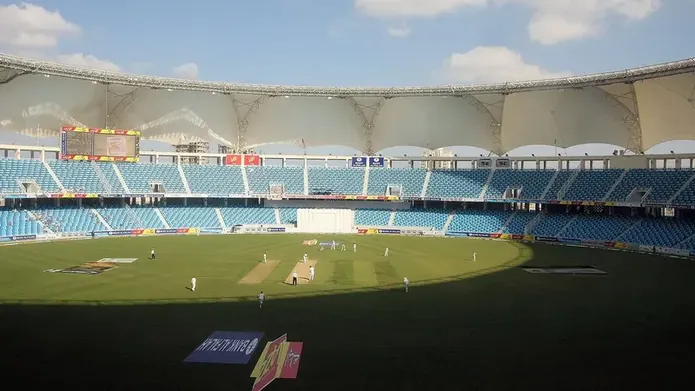
Follow cricket on Kingobd Sports: find fixtures, track tournaments, understand match timings, and keep up with international and league cricket schedules.
Understand Kingobd Sports data usage, what affects consumption, and practical tips to follow sports on limited mobile data without missing fixtures.